
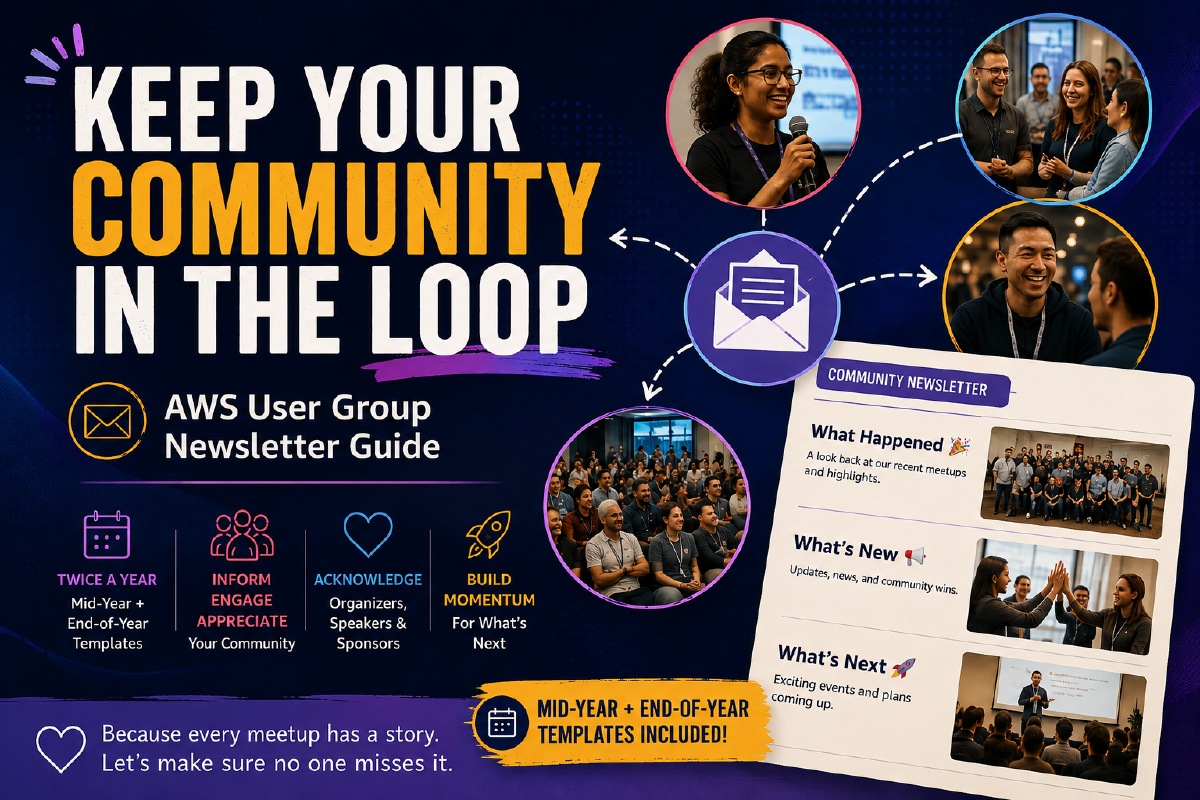
Mid-Year & End-of-Year Models for AWS User Group Leaders
A simple system for keeping your community informed, engaged, and appreciated, twice a year, with a model you can adapt and send the same afternoon.
How to Use This Guide#
This is a model, not a form. Nothing here is meant to be copied word for word. The two templates further down show you the structure, tone, and rhythm of a community newsletter that works. Adapt the wording, the sections, and the order to fit your own group’s voice.
Two visual cues run through this document:
- Anything inside a shaded quote block (like the templates below) is reference material: a model to read, borrow from, and rewrite in your own words.
- Text in [brackets and italics] marks something to swap out: a name, a number, a date. Everything else around it is example language, not a required phrase.
Why This Matters#
Running a User Group is constant action: meetups, speakers, sponsors, side conversations in the hallway before a talk starts. It is easy for all of that to happen and then simply disappear, remembered only by the people who were in the room.
A newsletter sent twice a year is a great way to keep the rest of your community in the loop. It does not need to be fancy. It needs to exist, and it needs to go out on a rhythm people can come to expect.
What it does for your community#
- Recaps the period in a meaningful, celebratory way, so members who missed events still feel part of the story.
- Strengthens trust and credibility with sponsors. A well-communicated, visibly active group makes it far easier for them to choose to sponsor your next event.
- Keeps members informed, valued, and connected between meetups, not only when there is an event to promote.
- Acknowledges organizers and contributors by name, role, and what they did. For a volunteer, being named for a specific contribution is one of the most motivating things a community can offer.
- Builds momentum and anticipation for what is coming, so people do not drift away during a quieter season.
Communities that communicate consistently, not only around events, keep members engaged for longer. Two check-ins a year is the minimum viable rhythm: enough to remind your group that the community exists beyond its next meetup, without turning into another inbox chore for you.
The Guide: 7 Steps From Blank Page to Sent Email#
This works with either model below. Budget about an hour; most of it will go into gathering content, not writing.
1. Pick your version and set a deadline#
Mid-year (send around June or July) or end-of-year (send around late November or December). Put the send date on your calendar. A deadline is what turns “I should do this” into “I did this.”
2. Gather your material#
Open the matching template below and start collecting before you write a single sentence:
- Message your co-organizers and ask what they would want included.
- Scroll your group’s Meetup event page since the last newsletter to reconstruct the list of meetups and speakers.
- Check your phone and your co-organizers’ phones for event photos.
- Don’t forget to thank your sponsors by name.
- Note upcoming events even if you do not have dates yet. “We are planning a Community Day this autumn” is enough.
3. Adapt the model section by section#
Do not aim for polished on the first pass. Get every section filled with rough notes first, in your own words, then go back and edit for tone and length. Editing a full draft is far easier than staring at a blank page.
4. Choose your visuals#
Two to four real photos are enough: a group shot, a speaker mid-talk, and a candid crowd shot cover most sections well. Avoid stock or AI-generated images when you have real ones. See Image Tips below for sizing.
5. Add your emoji key (light touch)#
Emojis are entirely optional. If you decide to use them, keep to the same one or two per section every time; it gives members a visual anchor as they scan. See the Emoji Key below.
6. Copy into Meetup’s Contact Members tool#
Open your group’s Contact Members tool. Choose your recipients (all members who opted in to organizer announcements, or a custom list). Paste your text section by section, since formatting does not always survive a full paste.
- Re-apply bold and italics using the tool’s own formatting buttons.
- Re-add links manually. Pasted links sometimes lose their hyperlink.
- Keep any embedded images narrow (under 360 pixels wide), so they display well across devices.
- Double-check paragraph breaks; the editor sometimes collapses blank lines.
If your User Group uses Luma#
Everything above still works. The recap structure (What Happened, What’s New, What’s Next) is not tied to any platform. What changes in step 6: Luma’s newsletter tool is built differently from Meetup’s and is closer to a dedicated email platform than a simple contact list.
Where to find it: Calendar > Newsletters tab > New Draft.
Formatting is easier here. Luma’s newsletter editor is a real rich text editor. Bold, italics, links, and paragraph breaks generally survive as you write, so most of the manual re-formatting from step 6 does not apply. Images are not limited to 360 pixels either, so you have more room to use a full-width photo if you want one.
Test before you send. Use Send Preview to email a copy to yourself first, and Preview to see exactly what recipients will see. Your draft also autosaves, so you can write it over a few sessions without losing anything.
You can target your audience. By default, a newsletter goes to everyone on your calendar who hasn’t unsubscribed. If you’ve tagged contacts (for example, “Sponsors” or “Speakers”) or set up membership tiers, you can send to just one of those groups instead, useful if you ever want a version of the recap aimed only at sponsors.
You can schedule it. Pick a future date and time rather than sending immediately; it’s handy if you want it to land first thing on a specific morning.
You’ll get real numbers back. After sending, Luma shows you sent, opens, clicks, and unsubscribes for that newsletter. This is worth checking; it is the same open-rate data mentioned in the Level Up section, and you will not need Mailchimp or Beehiiv to get it. Luma already gives you that layer natively.
Two things to check before you rely on it:
- Luma has a weekly email send limit tied to your plan and whether your calendar is verified. If your list is large, check your limit before you plan a send date around it.
- Replies go to the admin who has been on the calendar the longest by default. Make sure that person is actually checking that inbox, or members’ replies may go unanswered.
7. Preview and send#
Send a test to yourself first. Read it on your phone, not just your laptop; most members will open it there. Fix anything that looks cramped, then send.
A short, clear subject line beats a clever one: name what is inside rather than just writing “Newsletter,” and keep it under roughly 50 characters if you can.
The Models#
Two full models below for reference: one for mid-year, one for end-of-year.
They are written separately on purpose; the tone and the seasonal references (AWS Summit season versus re:Invent and the holidays) are different enough that a single bracketed template would read awkwardly in one version or the other.
Read these as a starting point, not a script. Keep the structure (Introduction, What Happened, What’s New, What’s Next, Conclusion) if it’s useful to you, and rewrite every line in your own group’s voice.
Model 1 · Mid-Year Newsletter#
Send around June or July.
📄 MODEL — MID-YEAR TEMPLATE
Subject line options
- [Group name]: what we’ve been up to (and what’s coming) ☀️
- Halfway through the year with [Group name] 🚀
- [Group name] mid-year recap: [X] meetups, [Y] speakers, and what’s next
Introduction
Hi everyone! 👋 We’re halfway through the year, which felt like a good moment to pause and share an update. Here’s a quick look back at what [Group name] has been up to since January, plus a glimpse of what’s coming before we close out the year.
What Happened? (recap of January–June)
Meetups 🎤 — [List your talks, speakers, topics, and the sponsors who supported each session.]
Other Events 🌍 — [AWS Summits, AWS Community Days, Dev Days, or any other AWS-related or non-AWS activity leaders took part in.]
[Spotlight organizers or members who contributed, e.g., by delivering a talk, volunteering, or representing the community.]
What’s New? ✨
[Newly joined organizers.]
[Members or leaders submitting talks or speaking at upcoming events, for example, CFP submissions for AWS re:Invent, which typically open around mid-year, or any other event, AWS-related or not.]
[Community milestones worth a highlight: a group anniversary, an attendance record, a recognition.]
What’s Next? 🚀
[Upcoming AWS Community Days, AWS Summits, Dev Days, or other AWS-related activities planned for the second half of the year.]
[Ideas for meetups in the coming months.]
[New initiatives, collaborations, or community projects. No need to include dates if you don’t have them yet; a glimpse is enough.]
[An invitation for members to submit talks or get more involved.]
Conclusion
Thank you for being part of [Group name] through the first half of the year. Whatever the summer season looks like for our community, we hope to see you at the next meetup. 🙏
Model 2 · End-of-Year Newsletter#
Send around late November or December.
📄 MODEL — END-OF-YEAR TEMPLATE
Subject line options
- [Group name] in [year]: a year in review 🎉
- Thank you for an incredible year with [Group name] ❤️
- [Group name]: [X] meetups, [Y] speakers, and what’s ahead in [next year]
Introduction
Hi everyone! 👋 As [year] comes to a close, we wanted to take a moment to look back at everything [Group name] achieved together and share a glimpse of what’s ahead for [next year].
What Happened? (year in review)
Meetups 🎤 — [List your talks, speakers, topics, and the sponsors who supported each session.]
Other Events 🌍 — [AWS Community Days, AWS Summits, Dev Days, or any other AWS-related or non-AWS activity leaders took part in.]
[Spotlight organizers or members who contributed, e.g., by delivering a talk, volunteering, or representing the community.]
What’s New? ✨
[Newly joined organizers.]
[Members or leaders heading to AWS re:Invent, or another upcoming event, AWS-related or not.]
[Community milestones, achievements, or recognitions: a group anniversary, an attendance record, anything that deserves a highlight.]
What’s Next? 🚀
[A possible re:Invent recap session for members who couldn’t attend.]
[AWS Community Days, AWS Summits, Dev Days, or other AWS-related activities on the calendar for early next year.]
[Ideas for next year’s meetups.]
[New initiatives, collaborations, or community projects. No need to include dates if you don’t have them yet; a glimpse is enough.]
[An invitation for members to submit talks for next year.]
Conclusion
Thank you for being part of [Group name] this year. We’re grateful for your engagement, your questions, your talks, and the time you gave to this community. Wishing you a restful holiday season, see you in [next year]! 🎄✨
Emoji Key#
Optional, but a consistent emoji per section gives members a visual anchor as they scan on their phone. Use the same one every time rather than switching it up.
| Section | Emoji | Why |
|---|---|---|
| Introduction | 👋 | A warm, casual opening |
| What Happened (meetups) | 🎤 | Talks and speakers |
| What Happened (other events) | 🌍 / 📸 | Summits, Community Days, photos |
| What’s New | ✨ | Updates worth celebrating |
| What’s Next | 🚀 | Looking ahead |
| Milestones / celebrations | 🎉 | Anniversaries, records, wins |
| Honest or important note | 📌 | Something members should not skim past |
| Conclusion / thank you | 🙏 / ❤️ | Genuine appreciation |
Image Tips#
- Real photos over stock or AI-generated images whenever you have them. Members recognize themselves and each other; that is the point.
- Three images cover most newsletters well: a group shot, a speaker mid-talk, and a candid crowd shot.
- For Meetup’s Contact Members tool, keep images narrow (roughly 360 pixels wide), so they display cleanly across devices. Wider images are fine if you move to an HTML newsletter tool (see Level Up below).
- Ask sponsors for their preferred logo file before including their name and mark, rather than pulling one from their website.
- If you are spotlighting an organizer, member, or speaker by name and photo, use their photo only with their permission.
Level Up: For Those Who Want to Go Further#
The models above are built to be adapted straight into Meetup’s Contact Members tool: plain text, light formatting, no design tools required. If you have the time and want a more visual result, here are a few directions worth exploring.
Design tools#
Canva has free email and newsletter templates. Design your newsletter there, then either export it as an image or a PDF to share via a link, or use it as a visual reference while you write the plain-text version for Meetup. Meetup’s Contact Members tool is text-first, so a fully designed Canva newsletter usually works better when sent by direct email or shared as a link than pasted in as an image.
Dedicated newsletter platforms#
Mailchimp, Beehiiv, and Substack all offer free tiers for small lists and let you build an HTML newsletter with real analytics: open rates, click rates, and who is actually reading. A healthy open rate for a community newsletter is generally considered to be around 40 percent or higher, so this can be a useful gauge of how well your recap is landing and a talking point when you approach sponsors.
A human touch#
If you want to go further, a short quote or two from members (what a meetup meant to them, why they joined) adds a layer that no template can, and it costs little more than one extra message to a couple of members before you send.
A Final Note#
None of this needs to be perfect. A short, honest recap sent twice a year will do more for your community than a beautifully designed one that never goes out.
If you try this model, or already have your own system that works, I would love to hear about it. Questions, suggestions, or just want to compare notes? Reach me at hello@suzanamelo.com.