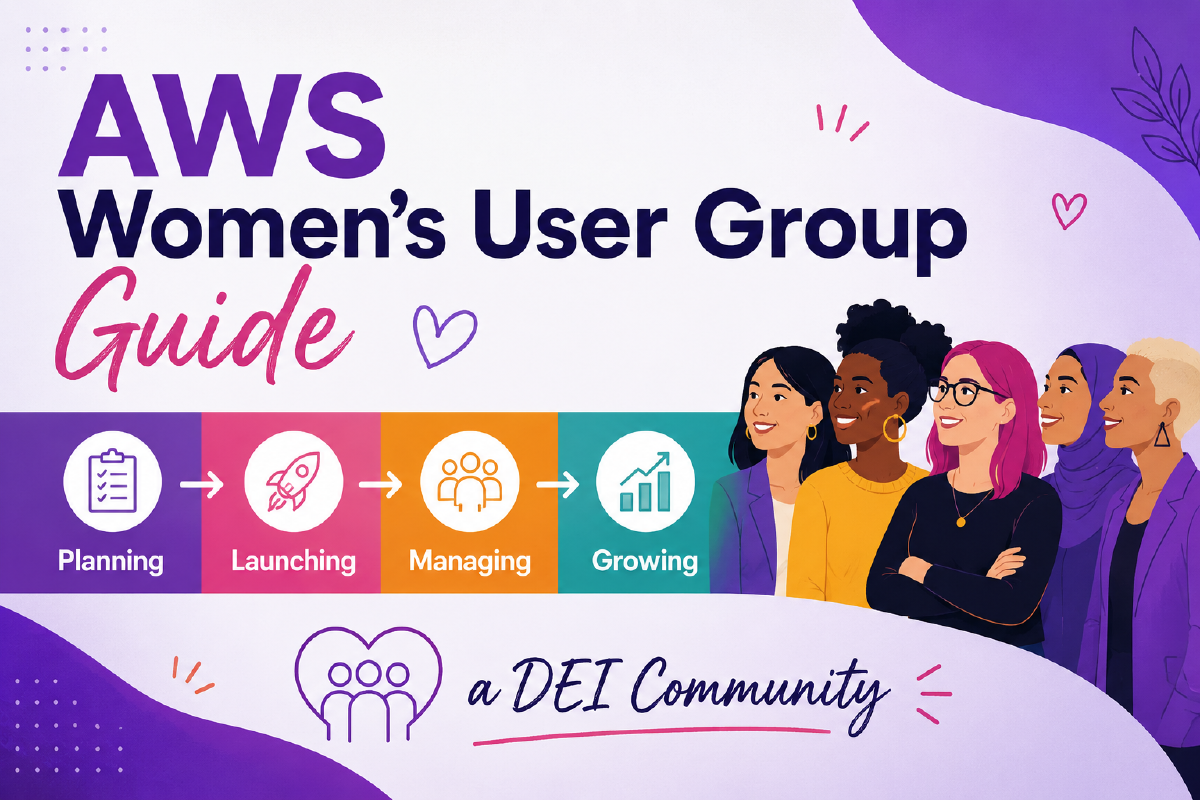
A guide to planning, launching, managing, and growing one.
Implementing DEI, providing a safe space, fostering learning and growth, and what more to watch for.
AWS Women’s User Groups are an effective way to increase the representation of women, trans women, and non-binary people in local AWS communities by creating inclusive spaces where they can connect, learn, and grow together.
- Planning: what you need to know and how to prepare before launching an AWS WUG.
- Managing: how to effectively run an AWS WUG (planning, hosting, event formats, content, accessibility, and speaker management).
- Growth: how to use social media tools, engage allies, and apply other strategies to grow your AWS WUG.
Introduction#
Why many women don’t go to gender-mixed tech events#
During conversations at various AWS WUG events, many attendees expressed their satisfaction in attending a WUG. Some had never been to gender-mixed tech events, while others said it was something they didn’t use to do. I deliberately asked why, and here are a few reasons given:
- They didn’t want to go alone.
- They didn’t feel comfortable.
- They were a minority.
- They didn’t know many people.
- The talks are too complex.
- They didn’t feel part of the community or represented there.
These are patterns I’ve noticed in my own community.
What can make a difference#
An interesting point that caught my attention: some of these women also mentioned that after getting used to the community by joining WUG meetup events, they had started attending, or become willing to participate in, gender-mixed events at AWS User Groups.
What changed? They mentioned that what made the difference was understanding the goals and formats of UGs in general; they got familiar with the community and also found peers and allies in the WUG events who started accompanying them to gender-mixed meetups when the events were interesting.
The presence of mixed UG organizers and their members supporting the WUG events also made a crucial difference in their perception of being welcomed and part of a community at mixed events.
AWS UGs as allies#
“United we stand, divided we fall.”
An AWS Women’s User Group isn’t meant to compete with existing AWS User Groups. It’s another door opened toward the same goal: increasing the number of women in the AWS Community and amplifying the presence of female speakers, while fostering diversity and technical growth.
Who the WUG is for#
An AWS Women’s User Group centers women, and it’s also a space for anyone marginalized by gender in tech, including trans women and non-binary people. Say this explicitly on your Meetup page and in your Code of Conduct. Leaving it unsaid doesn’t make the group more neutral; it just leaves people guessing whether they’re welcome.
Note: This guide refers to the Meetup platform throughout, since it’s the one officially supported by the AWS User Group Program. Everything here (event pages, RSVP reminders, publishing workflows) applies just as well if your community uses another platform, such as Luma.
Planning#
Before creating an AWS Women’s User Group#
What to consider while planning the creation of a WUG:
- Do you need a local city group or a nationwide WUG? Is the WUG located in a small country where it’s easier to travel around, or a big country where it’s hard to travel around? Is the city/region big enough to fit its own WUG?
Note: If the WUG is nationwide, consider hosting online meetups to reach women across the country as well. It’s also a good option even for a local WUG when there aren’t many sponsors to host a physical event and accommodate women who can’t make it to in-person events for many reasons.
- Are there venues or sponsors available for the events? For example, AWS offices you can ask for support from, or companies willing to sponsor the events.
- Can you commit to the AWS UG rules? For example, you must run at least four events per year.
Learning how to become a WUG organizer#
Participating in other AWS User Groups is one of the best ways you can start your journey as a prospective AWS Women’s User Group founder. Connect with the other UG organizers, tell your intentions, and ask for guidance. Shadow the organization to learn how events are organized, how they approach sponsors, how they manage the budget, how their event agenda is planned, and the requirements a User Group must meet to be part of the AWS Community Program. Learn and adapt to your community accordingly.
If you are new to the AWS Community ecosystem, you can find the AWS User Group close to you on the AWS User Group page at the AWS Builder Center.
AWS support#
AWS User Groups and Women’s User Groups, once created and established, receive support from the AWS User Group program, which supports AWS User Groups worldwide. UGs have a regional AWS Community Program Manager you can contact to learn about the support available in your region (credits, swag, speakers, insights into community management, whether there’s an AWS Office available as a venue, etc.).
What does an AWS Women’s User Group need to start?#
- Organizers – ideally a team of organizers (two to four) to share responsibilities and make it easier to support and/or cover each other whenever necessary.
- Sponsors – companies that can support the meetups by providing a space to host your events and food and beverages for attendees, e.g., an AWS Office or companies in your city/region.
- Speakers – who will share knowledge at the meetups. You can find speakers in your regional AWS Community Builders channel, Sessionize (see “About Sessionize” under Resources), or use another platform like that to create a CFP and offer mentoring to potential speakers in your community.
Note: Ideally, plan for venues and speakers for at least the first two meetups before the launch. It will make your start much smoother.
Management & resources#
Tips on how the organizing team can effectively manage tasks asynchronously.
Communication#
Define one or more group chats using a platform that best suits the organizers for fast and easy communication, e.g., WhatsApp or a LinkedIn group, plus a group chat in the AWS UG leaders Slack channels. After formalizing the AWS UG or WUG, all organizing team members are added to a dedicated channel for the program.
Task management: responsibility sharing#
Trello or Notion boards can make it easy to manage tasks (cards to track ideas, work in progress, tasks done, etc.) asynchronously. These boards can significantly help manage responsibilities and deadlines by increasing visibility and keeping communication clear and aligned.
Resources#
Create a shared source of resources that can be easily accessed by the organizing team: Google Drive, Notion, or any tool that suits you best for docs and templates, such as:
- Template meetup event content
- Code of Conduct
- Template for reminder emails
- Banners
- Logos, etc.
Tip: To create your own templates, follow and check out other AWS Women’s User Group meetup pages (and LinkedIn pages, if they have one) to see how they announce their events, what they write, and how you can adapt the content to your local audience. Don’t hesitate to connect with other AWS WUG organizers and ask questions. They are always willing to help new AWS WUGs.
Learn from other WUGs’ and UGs’ experiences, adapt, and improve. You don’t need to reinvent the wheel; there’s a community ready and happy to support you.
Sustaining your organizing team#
📌 Here’s the truth: the WUGs that last are the ones that share the load early, not the ones that wait until the founding organizer is burnt out to think about it.
A few things that help:
- Rotate visible responsibilities (hosting, speaker outreach, socials) across the team instead of letting one person default into all of them.
- Bring in a new organizer before someone leaves, not after. Shadowing for one or two events is enough to hand off knowledge that would otherwise walk out the door.
- Check in with each other, not just about tasks. Ask directly if anyone’s stretched thin. The volunteer who never says no is usually the one closest to stepping back entirely.
- It’s fine for the group to go quiet for a season if organizers need a break. A short, honest note to your community (“we’re recharging, back in [month]”) holds more trust than silence or a rushed, under-resourced event.
Formalizing your AWS WUG#
Meetup platform#
- Create your About text for your Meetup page. It’s the first thing your future members read when they reach out to your Meetup page.
- Create your logo. If you’re already part of the AWS Community, your local AWS Community Manager can point you to the UG toolkit/PPT template/logo template to use. If not, get guidance from other AWS User Groups and AWS Women’s User Groups; they can help you connect with AWS User Group Program managers and other resources you’ll need.
- Create a Meetup group. Note: you’ll need to pay the first monthly fee to create your Meetup group before being added to the AWS User Group program.
LinkedIn (optional)#
- Create a LinkedIn page (you can reuse the same content you created for your About page on Meetup).
AWS User Group leaders#
- Fill out the AWS User Group form on the AWS User Group page (you’ll need to provide details such as the AWS WUG name, city, organizers’ names and emails, the meetup page link, etc.).
- Organizers of the AWS WUG will be added to the AWS User Group Leaders Slack channel.
- Your WUG will be included in the Global AWS User Group Community, so you won’t need to pay the Meetup fees after that.
- You’ll have access to support and information regarding benefits, etc.
Note: If you have questions about this step, reach out to your regional AWS Community Program Manager if you’re already an AWS User Group leader, AWS Community Builder, or AWS Hero. If you’re not yet part of the AWS Community ecosystem, reach out to other UG leaders to ask for guidance and support.
Code of Conduct#
Every AWS WUG needs a public Code of Conduct before the first event, not after an incident makes you write one. At minimum, yours should cover:
- Who it protects and from what (harassment, discrimination, and unwelcome conduct based on gender, race, disability, appearance, and so on).
- Where it applies (the event, official group chats, and online spaces tied to the WUG).
- Who to contact if something happens, by name, with a way to reach them during the event (not just an email that gets checked next week).
- What happens after a report: a warning, then removal from the event, then a ban from future events for repeat or serious violations.
- A commitment that reports are taken seriously and handled without putting the burden of proof on the person reporting.
Note: You don’t need to write this from scratch. The Python Software Foundation’s Code of Conduct and its accompanying best-practices guide are widely adapted across the tech community and are a solid starting template. Adapt the language, keep the structure. Put the short version on your event page and in your opening slides, with a link to the full version. A CoC nobody sees isn’t protecting anybody.
Launch strategy#
Support#
Support from the local AWS Community can make a huge difference for the launch and establishment of a new AWS Women’s User Group. It can be handy when reaching out to women across your region, especially when the region/city already has established AWS User Groups, since that can also mean wives, daughters, sisters, and friends of local AWS UGs who will likely be happy to join a space carefully planned to welcome them. Reach out to the UG leaders in your city or country to present your project and the benefits it will bring to the local community, and ask for support for the WUG.
There are many ways AWS User Groups can support a WUG to increase its reach and impact. Here are a few things you can suggest:
- Emailing their UG members to announce the WUG and invite them to share the news.
- Announcing the new WUG and its agenda in their events.
- Resharing WUG events in their UGs (e.g., emailing the UG members via Meetup).
Tip: To make it even easier for the AWS User Groups in your country/region to support the new AWS Women’s User Group, prepare resources and drafts in advance for them to work with. For example, draft email content that the AWS UG group(s) can use to announce the creation of the AWS WUG. You can include sentences encouraging women, trans women, and non-binary members to join the AWS WUG, and also inviting men to become allies and support the initiative by spreading the word among family, friends, and coworkers.
You’re the best person to provide them with all the information they need to share in their community: the goal of the WUG, how the community can help spread the news, what they’ll gain from the new initiative, and links to the AWS WUG Meetup and LinkedIn pages (if you have one).
Promotional campaign#
Planning the launch campaign for the AWS WUG is also part of what you need to prepare to start. There are two options to consider for the launch. Check what works best for you and your community:
Option 1 – AWS WUG announcement and first event separately:
You can run a campaign announcing the launch of the AWS WUG, with posts on the organizers’ social media and emails from UG allies introducing the new AWS WUG and its organizers, who they are, the goals of the initiative, how the community can help, etc., and then do a second round to announce the first event. This is a good strategy for a nationwide WUG, since you need to reach out to women in different regions and connect with many UGs to ask for help.
Option 2 – AWS WUG announcement and first event at once:
Create a campaign to launch the AWS Women’s User Group and announce the first event together, also including promotion on the organizers’ social media channels and supportive emails sent by AWS UG allies. This is the most appropriate strategy for a city-local AWS WUG and community, to avoid over-emailing members.
Managing#
Organizing AWS Women’s User Group events#
Checklist for each event#
- Event page content – create content to announce the event on the Meetup platform, including an introduction with a small summary of the agenda and an invitation to join, agenda, talk briefings, speakers’ bios, sponsors, venue, date and time, Code of Conduct (summary and reference to the main content), etc. You can create the content on the meetup page, save it as a draft, and preview it as many times as you need before announcing it.
- Banner (optional but strongly recommended) – include the talk titles, speakers, venue, sponsors, and AWS WUG logo. It can include an event title that summarizes what the talks are about, e.g., Serverless & Gen AI, Jobs in the Cloud, Security in the Cloud.
- Publish event – Meetup automatically notifies members by email when you click “publish event.” Ideally, announce your event between a month and two weeks before it happens.
- Email reminder – email members using the Meetup platform to encourage them to join if you still have space, and ask them to update their RSVP, especially if you already have a full house and a waiting list. Send it a week before the event, or on the current Monday if the event is on Thursday, for example.
- Post on social media announcing the event – promote the event on the AWS WUG LinkedIn page (if you have one). All organizing team members can do the same on their own social media. If you created a banner, use it as the post image.
- Post on social media after the event – same approach as above, but now the content tells how the event went, including photos taken, and thanking the community and sponsors.
A quick reminder: don’t forget to ask for support from your local AWS UGs to promote the event and get tips on those steps above. They’re your best allies.
Events format#
Define the format of your meetup events, taking into account the audience and goals. Flexibility is key; adjust accordingly.
Meetups are known as a knowledge-sharing opportunity through talks, but they don’t have to be limited to that. The event can include panels, project sharing with feature/tool discussions and feedback, hands-on sessions, workshops, games, and whatever else works well for your community.
Note: For a nationwide WUG, adding virtual meetups to the agenda is a viable way to reach women who can’t attend in-person events. If you’ve never hosted a virtual meetup, reach out to your Community Program Manager and other UGs for more insight.
What to consider#
The meetup format also includes decisions on content levels (beginner, intermediate, advanced) and their lengths. Here are a few questions to discuss with your organizing team and get insights on from other AWS UGs and AWS WUGs:
- How long will the event take?
- How many talks per event?
- Open the event with food and networking, followed by talks, or insert a break between talks for networking while serving the food?
- What’s the audience level (more beginners or experts)?
- Check what works best, or try different variations. For event talks, for example:
- One longer talk per event, with plenty of time for Q&A and networking.
- Two talks: one initial lightning talk of 15 minutes (ideal for tech beginners and first-time speakers to get experience), and one deep dive (more technical) around 30 minutes, including time for Q&A.
The agenda will vary according to the defined format. For a first-time AWS WUG leader, it’s worth repeating: it will help enormously to learn from other AWS UGs and AWS WUG events. Analyzing different approaches will give you a place to start until you find what works best for your reality.
Always ask for feedback and adapt accordingly. Listening to and understanding your community and audience is crucial.
About speakers#
Finding speakers for User Group events is usually a challenge. As an AWS Women’s User Group, we expect the speakers to be women, trans women, and non-binary people, which can be even more challenging.
Here are a few ideas on how you can find speakers:
- Reach out to the AWS Community Program Manager and Developer Advocate in your region to help you find women, including trans women and non-binary people, AWS employees, and other AWS Community Builders near you who can give talks at your meetups.
- Think about hosting online events. You can ask for help from other AWS Women’s User Groups, who can point you to speakers, including AWS Community Builders who can join virtually to support you.
Sponsors are also welcome to provide a speaker if they have someone who fits the agenda (women, trans women, and non-binary people who will share knowledge about AWS products or solutions). If so, make it clear that sales speeches are not allowed.
To be clear: a short company or hiring introduction is welcome (this is what the 5–10 minute sponsor slot at in-person meetups, mentioned later in this guide, is for). What’s not welcome is a product pitch disguised as a talk. If a sponsor’s proposed speaker submission reads like a demo of their tool with a sales close, ask them to reframe it around what the audience will learn, not what the sponsor is selling.
Building future speakers#
As a woman, trans woman, or non-binary person, impostor syndrome hits harder, so finding first-time speakers within this community isn’t easy. Sometimes you need to build it: it takes time to create a safe space where people feel comfortable enough to take the stage and share their knowledge. Encourage them to do so during events, and offer mentoring to those interested in trying, by suggesting they give a lightning talk.
How can you do it?
Connect with AWS Community Builders and UG leaders who went through the AWS New Voices program (a program that trains AWS Community members on public speaking) and ask for help. You can create an online event in your community so they can mentor prospective candidates in giving their first 15-minute talk.
Online meetups#
Online meetups can be a good way to reach women who may not be able to attend in-person events. It’s a handy tool for nationwide WUGs, but local city ones can take advantage of this format too.
The possibilities for formats and partnerships are countless. You can play with different formats, such as talks and/or panels; create special events to celebrate a relevant date, e.g., International Women’s Day; collaborate with other AWS UG groups in your country or with AWS WUGs worldwide; and bring in special guests from anywhere in the world to speak at your AWS WUG event.
Platform#
Define the platform that best suits you and your community’s needs.
- Google Meet – the free version has a 1-hour limit and up to 100 participants per event.
- Zoom – the free version has a 40-minute limit and up to 100 participants per event.
- LinkedIn – no time or audience limits, but it must be paired with another platform, such as YouTube, StreamYard, Zoom, or Google Meet, so speakers have a room to speak from. No live interaction with the community is available on LinkedIn, only through comments. LinkedIn keeps a record of the event, accessible anytime from the events page of the person who created it, which is handy, especially when you have an AWS WUG LinkedIn page. Pairing instructions are easy to find and follow, but some users don’t have a good experience pairing it with Google Meet, so it’s worth researching and testing that option a bit more.
In-person meetups#
Connecting with other AWS User Groups and Women’s User Groups can help you learn from more experienced leaders, avoid what didn’t work well for them, and experiment with the approaches that had the best outcomes for them, adapting them to your community.
It’s a good idea to reserve 5–10 minutes after opening the event for a short presentation by your sponsor, about what the company does and what open positions they have (see the sponsor speaker guidelines under About Speakers for what’s in and out of scope).
Building the community#
At each event, don’t forget to bring up the Code of Conduct and make sure all members feel safe and comfortable. You can research tactics to increase community connection and integration that can be applied to the event, e.g., badges with the first name of the member, to help members easily identify themselves and break the ice when they don’t know or forget other members’ names, making it easier to start a conversation; or short introduction games to break the ice.
You’ll photograph most events for your recap posts and Meetup page, so say so upfront, and give people a real way to opt out. The easiest version: add a sticker or mark to the badges you’re already using for icebreakers (a small dot or a different color works) so photographers can see at a glance who not to include. Mention the option at check-in and again when you open the event. This matters more than it might seem: not everyone at a WUG event is out at work or comfortable being publicly tagged at a women’s or LGBTQ+-inclusive event, and an opt-out that actually gets honored is part of what “safe space” means in practice, not just in your Code of Conduct.
Joining sessions from other AWS UGs and WUGs is also great for learning firsthand how to build your community and create a safe, supportive environment.
Some AWS UGs and AWS WUGs, for example, have created badges to identify first-time attendees, allies from other UGs, and the organizing team. As mentioned earlier, meetups don’t always need to follow the same talk-to-audience format. They can include panels, workshops, games, and anything else that helps the community learn together and have fun.
Giveaways#
Contact your regional AWS Community Program Manager to learn about the support available in your region that you can use at your meetup events, e.g., AWS credit vouchers for giveaways. You can include them in the event in different ways, such as spin wheels or quizzes.
Accessibility#
Inclusion doesn’t stop at gender. Before you lock in a venue or a time slot, check:
- Step-free access, accessible restrooms, and a room layout that works for wheelchair users.
- Start time. Mid-morning tends to work better than early morning or evening for people with childcare responsibilities or chronic health conditions. However, meetups are usually held in the evening, after work; announce the time upfront so people can plan accordingly.
- Cost to attend beyond the ticket: transport, parking, or a babysitter. If you can offset any of this (e.g., checking if the sponsor has parking available, or an on-site kids’ corner), mention it on the event page; people won’t ask if they don’t know it’s an option.
- For online and hybrid events: live captions where your platform supports them, and a recording posted afterward for anyone who couldn’t attend live.
You won’t solve every barrier for every event. Picking two or three to work on actively, and being upfront about the ones you haven’t solved yet, is enough to start.
Sponsors#
Finding sponsors is another challenge for many AWS User Groups and AWS Women’s User Groups. A good social media coverage plan can help build trust and credibility with sponsors.
Don’t forget to keep your Meetup updated and include photos on the event page after the event. Do the same if you decide to have an official LinkedIn page for your AWS WUG. Always include the sponsors’ links in the meetup event and emails. For a LinkedIn page, tag and thank them in every post announcing or recapping an event.
Growth#
Social media coverage plan: checklist#
Before the event: announcing#
Create the event on Meetup (it notifies members automatically when you publish it). Write engaging text containing:
- Intro
- Agenda
- Talk(s) details
- Speaker details
- Sponsor
- Event details (venue address, time, etc.)
- Banner – containing at least the talk title and event details. Preferably include speakers’ profile photos and who they are, to provide more credibility and visibility. The free tier of platforms like Canva is more than enough to cover a simple banner.
- Social media posts – on LinkedIn and any other platform you decide to use, announcing the meetup (official LinkedIn page if you have one; organizers’ personal social media too). You can use the event banner as the post image. Tag everyone involved or mentioned: speakers, sponsors, other organizers, etc.
Before the event: reminder, one week before#
- Email reminding members to sign up and/or update their RSVP to free up space (the Meetup platform already provides a tool to email members). Include the details again, and include links for everyone involved or mentioned: speakers, sponsors, other organizers, etc.
- Reminder post on LinkedIn (and any other platform you decide to use).
During the event (optional)#
- Social media – LinkedIn and any other platform you decide to use (selfies or videos), talking about the event, the vibe, the content, etc.
After the event#
- Publish posts about the event on the AWS WUG’s social media channels, e.g., the LinkedIn official page and the organizers’ personal social media. Posts can include event photos, a summary, and a thank you to the speakers, sponsors, and audience.
- Include photos on the event’s Meetup page.
Newsletter#
Your community could benefit from a simple, friendly, and informative “mid-year/year in review.”
It’s an opportunity to celebrate the year your community had, remind them of all the wins, announce news and goals for next year, and wish them a happy holiday break, all while keeping your community informed, valued, and engaged.
You can find tips and templates for creating a simple system to keep your community informed, engaged, and appreciated in the AWS User Groups Newsletter Guide.
Surveys#
Besides the tools already offered by Meetup, a survey can be a great way to hear from your community on what went well, what can improve, what they want to see, and anything else they have to say. It can be done once a year and yield valuable insights for your next steps.
A simple Google Form can be sent in the end-of-year newsletter, including questions about what you want to hear about and the areas you want to improve.
You can ask for feedback and suggestions about:
- Format
- Topics
- Platforms, etc.
- Type of events
If the survey results in a great idea that gets implemented, don’t forget to let the community know in your events and newsletter. It will show them that they’re heard, and really part of the AWS WUG.
A few numbers worth tracking#
Beyond the annual survey, a handful of simple metrics tell you whether the WUG is actually working, not just running:
- Repeat attendance: how many people come back for a second or third event.
- First-time speakers: how many people gave their first talk ever at your WUG.
- Speaker diversity across the year, not just per event (relying on the same three speakers repeatedly is a sign your speaker pipeline needs more investment, not that your community lacks talent).
- Where new members hear about you (ally UG shoutouts, social media, word of mouth), so you know which growth channel is actually working.
You don’t need a dashboard. A shared spreadsheet updated after each event is enough to spot patterns by year two.
A final word#
Starting an AWS Women’s User Group is slower and harder than the checklist above makes it look. You’ll deal with sponsor rejections, speakers who cancel, and events where twelve people show up instead of forty. That’s normal, not a sign you’re doing it wrong.
What makes it worth it is the moment a first-time speaker gets through her first lightning talk, or a woman who almost didn’t come tells you afterward that she’s coming back. That’s the actual work.
If you’re starting a WUG and want to talk it through, reach out to an existing WUG organizer before you launch. We’d rather help you skip our mistakes than watch you repeat them.
Questions, suggestions, or just want to compare notes? Reach me at hello@suzanamelo.com.
Community support & other resources#
Find an AWS Women’s User Group#
New AWS WUGs launch all the time, so instead of a fixed list that goes out of date, here’s how to pull up the current one yourself:
- Go to the AWS User Group page at the AWS Builder Center.
- Scroll down to Join an AWS User Group.
- Type women into the search box.
That search box filters by name, not by a fixed category, so it also surfaces groups that use different naming conventions, e.g., “Women in Tech,” “Women in Cloud,” or country-specific phrasing. At the time of writing, this turns up close to 20 AWS Women’s User Groups across every region. Reach out to a few before you launch: most WUG organizers are glad to share what worked and what didn’t.
Other resources#
- AWS User Groups Toolkit (Google Drive)
- How to create AWS User Group logos: tool overview (includes AI-generated content)
Note: This video also includes links for the following resources:
- PartyRock link: generate your logo prompts with PartyRock.
- Canva public view link: view the final logo design created in Canva.
- Canva template public link: explore the Canva template used in this video.
About Sessionize#
You can create a permanent open CFP in Sessionize for free if you apply for a free community license: Sessionize community license playbook